Lingue vs. Appshots
Appshots is a free, open-source screenshot editor an indie developer launched in early 2026, built out of frustration with paying $15 or more a month for screenshot tools. Given that Lingue starts at exactly $15 a month, we're the kind of tool it was built to replace, which makes this a comparison worth doing carefully.
We make Lingue, so read this as a vendor comparison. Appshots details come from its site and public GitHub repository as of August 2026.
Comparison at a glance
| Capability | Lingue | Appshots |
|---|---|---|
| Price | From $15 a month, 7-day trial | Free, open source (MIT) |
| Account required | Yes | No |
| Editor model | Freeform canvas, filmstrip | Freeform canvas, carousel |
| Device mockups | All iPhone, iPad, Android presets | 6 devices |
| Export presets | Every current required size | 4 Apple sizes, up to 6.7-inch |
| Google Play export sizes | Yes | No Play-specific presets |
| Localization | Every store language, RTL automatic | None |
| Publish direct to both stores | Yes, both plans | No |
| AI draft sets | Yes | No |
| Versioning | Yes (Pro) | No, browser storage only |
What Appshots does well
- Free, open, and frictionless. No account, no watermark, no paywall. The code is MIT-licensed on GitHub, so you can read it, fork it, or self-host it. For a quick set of screenshots, the distance from landing page to exported PNG is short.
- A real canvas. Unlike most free tools, Appshots is freeform: rich text with Google Fonts, gradient backgrounds, overlay images with layering, and multi-device scenes with devices that span adjacent screenshots.
- 3D device rendering. Rotation and angle controls on flat or 3D mockups, preserved on export. Lingue's editor has 3D-tilted frames too, so this is parity rather than a gap, but some tools gate 3D behind paid plans and Appshots gives it away.
Where Lingue takes a different path
Appshots covers the design step for a narrow slice of devices. Lingue covers the design step for every device the stores require, then everything after it:
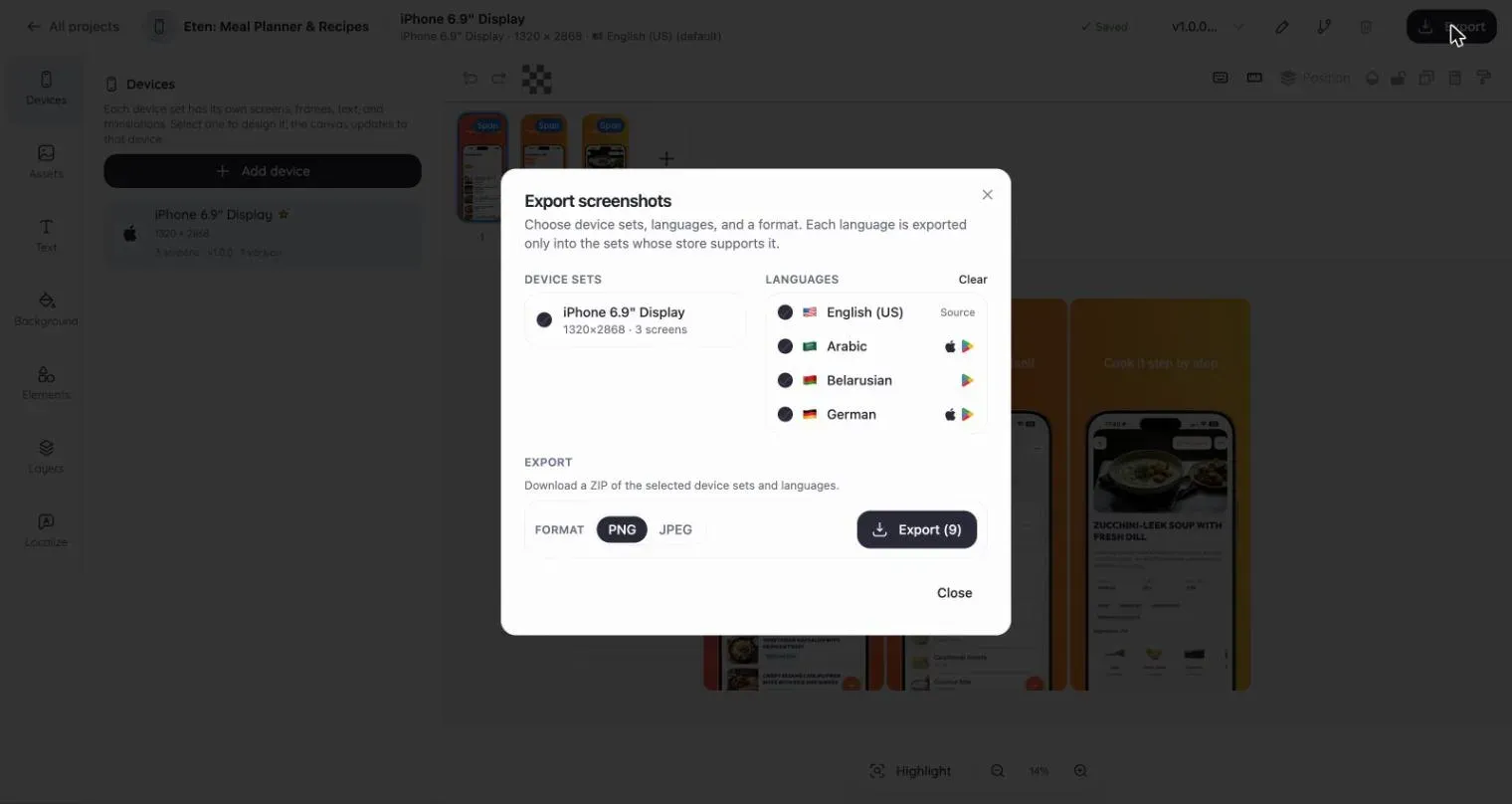
- Export sizes that match the current spec. Appshots ships 4 export presets topping out at the 6.7-inch iPhone and 12.9-inch iPad. Apple's spec now centers on the 6.9-inch size at 1320 x 2868, and Appshots lists no Google Play presets despite including Samsung mockups. Lingue exports every size both stores require, kept current.
- Device coverage. Appshots offers 6 mockups: three iPhones (up to the 15 Pro Max), one iPad, and two Samsung devices. Lingue includes presets and frames for the full iPhone, iPad, and Android range.
- Everything past design. Localization into every store language with automatic RTL, AI-drafted sets with ASO headlines, versioning on Pro, and publishing straight to both stores. Appshots has none of these; it ends at a ZIP of PNGs.
- Projects that persist. Appshots saves to your browser's local storage. Clear it, or switch machines, and the project is gone. Lingue projects live in your account.
Pricing, as of August 2026
Appshots is free and MIT-licensed, with no paid tier at all.
Lingue is $15 a month or $99 a year on Starter, $35 a month or $180 a year on Pro, with a 7-day free trial.
The creator's framing is fair: if a screenshot tool costs you $15 a month and you only use the canvas, a free canvas wins. Lingue's answer is that the canvas is the smallest part of what the subscription buys.
Which one should you pick?
Choose Appshots if you want a free, no-signup canvas for an English-language, iPhone-led set, you're comfortable checking that export sizes match the current store spec, and you like tools you can read the source of.
Choose Lingue if you need current sizes across every device, more than one language, a drafted starting point, or uploads handled for you. One localized update cycle across a few markets is usually where the time saved passes the subscription price. The editor tour shows what's included.
Two other comparisons may help: Lingue vs. Screenshot Wizard, another free tool with a privacy twist, and Lingue vs. AppScreens for the biggest paid alternative.
Common questions
Is Appshots really free with no catch?
Yes. No account, no watermark, no paid tier, and the source is MIT-licensed on GitHub. The trade-off isn't hidden pricing; it's scope. It's a young single-maintainer project with 6 devices, 4 Apple-only export presets, and no localization or store publishing.
Are Appshots' export sizes safe to upload?
Its presets cover the 6.7, 6.5, and 5.5-inch iPhone sizes and the 12.9-inch iPad. Apple currently asks for the 6.9-inch size (1320 x 2868) for the latest iPhones, so check the current requirements before uploading, and note there are no Google Play presets.
Can I self-host Appshots?
Yes, and that's a real advantage. The repository runs on Node or Bun, and MIT licensing means you can deploy and modify it freely. Nothing comparable exists for Lingue, which is a hosted product.