Lingue vs. AppScreens
AppScreens is one of the most established screenshot generators around, with over 11 million screenshots exported and the widest storefront coverage in the category. Lingue is a design canvas built only for App Store and Google Play screenshots. Both can take you from raw screens to published listings, but they get there differently, and each is the better pick for a different kind of developer.
One thing up front: we make Lingue, so read this the way you'd read any vendor's comparison. Every claim about AppScreens comes from its public site and pricing page as of August 2026.
Comparison at a glance
| Capability | Lingue | AppScreens |
|---|---|---|
| Editor model | Freeform canvas | Templates + responsive engine |
| iPhone, iPad, Android sizes | Yes | Yes |
| Watch, Vision Pro, TV, Mac sizes | No | Yes (paid) |
| 3D device frames | Yes, both plans | Yes (paid) |
| Localization | Every store language, both plans | 5 locales on Pro, 80+ on Scale |
| Right-to-left layouts | Automatic | Yes (Scale) |
| Publish direct to both stores | Both plans | Paid plans |
| Custom Product Pages upload | No | Yes (Scale) |
| AI draft sets from raw screens | Yes | AI captions; AI images coming soon |
| Versioning of screenshot sets | Yes (Pro) | No |
| Free option | 7-day trial | Free plan (1 project, watermarked extras) |
What AppScreens does well
Credit where it's due: AppScreens earns its user base in a few areas.
- Storefront coverage. Paid plans export sizes for Apple Watch, Vision Pro, Apple TV, and Mac, plus Amazon Appstore, Huawei AppGallery, Microsoft Store, and custom sizes. Lingue covers iPhone, iPad, and Android. If you ship a watchOS or visionOS app, that alone decides it.
- A permanent free plan. One project, five screenshots, core sizes, no card required. Lingue offers a 7-day trial instead, so AppScreens is the one you can use forever without paying.
- Custom Product Pages and PPO. The Scale plan uploads Apple Custom Product Page and Product Page Optimization variants in one click. If you run listing experiments at that level, Lingue doesn't do this today.
- A responsive layout engine. One configured layout adapts across device sizes and languages, with translated text measured and resized automatically.
Where Lingue takes a different path
AppScreens is template-first: you pick from 150+ template sets and configure them, and its drag-and-drop editing arrived in June 2026. Lingue started as a canvas. Every headline, device, shape, and background is a free element you can move, restyle, and layer, device frames tilt in 3D for hero shots, and the whole set sits side by side in one filmstrip, so you drag elements across screens and lay one panoramic background over the entire set.
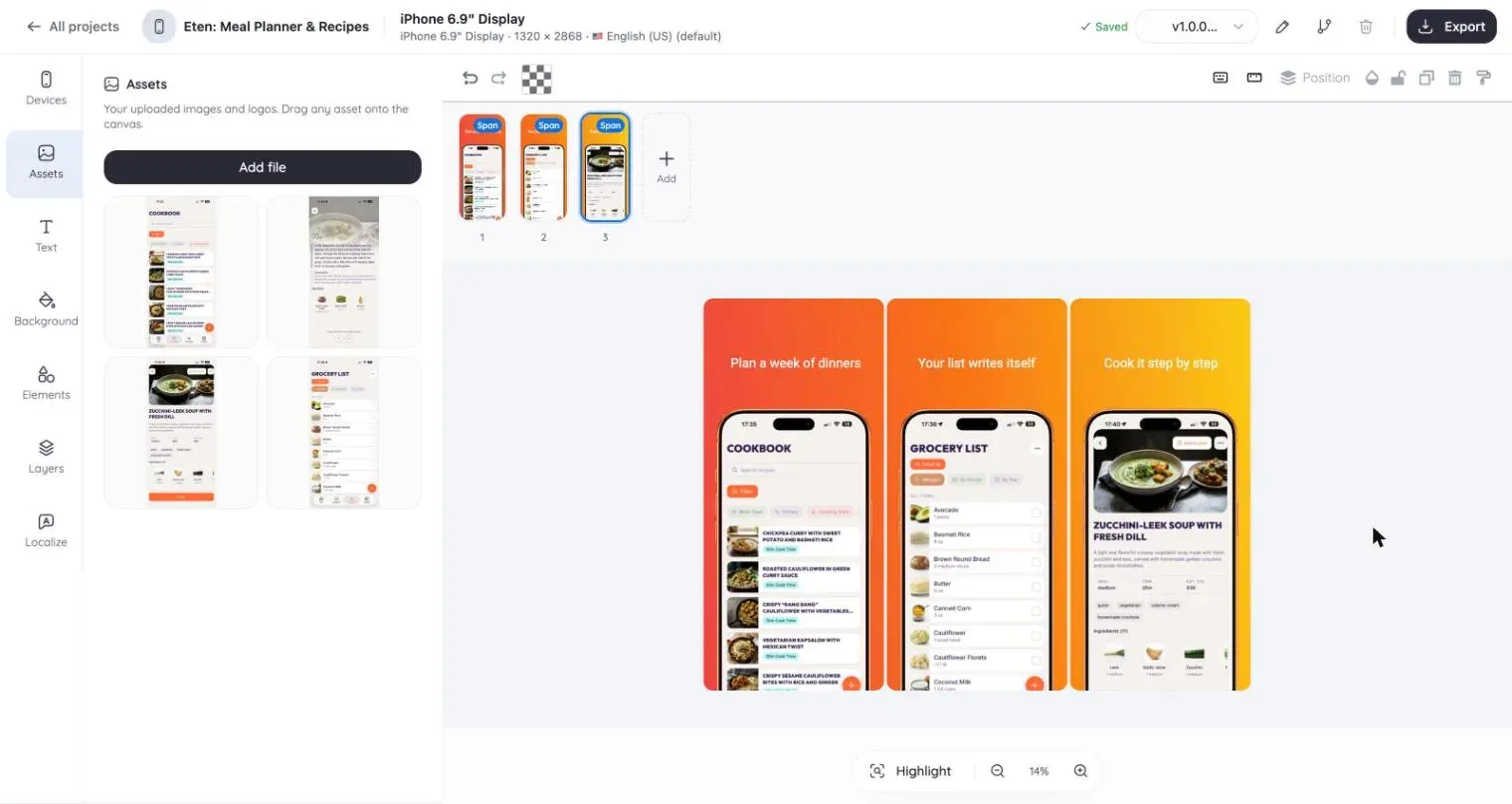
The other differences that matter day to day:
- AI drafts the whole set. Give Lingue's AI your raw screens and a one-line description, and it builds a complete editable set with benefit-led ASO headlines. AppScreens generates captions and restyles templates; its AI image generation is listed as coming soon.
- Localization is included on both plans. Lingue's Starter plan localizes into every App Store and Play Store language, with right-to-left layouts mirrored automatically. AppScreens caps its Pro plan at 5 locales; 80+ locales require Scale at $50 a month.
- Versioning. On Lingue Pro you snapshot a set before a redesign, branch two directions, and roll back. AppScreens has no version history; its own FAQ suggests duplicating the project to create a variant.
- Store publishing on every plan. Store Sync imports your listing and publishes per locale and device on Starter (one App Store and one Google Play account) and Pro (up to five of each). AppScreens gates uploads to paid plans too, so the difference is where the entry price sits.
Pricing, as of August 2026
AppScreens: free plan; Pro at $25 a month or $99 a year; Scale at $50 a month or $180 a year. All plans are single-user today.
Lingue: Starter at $15 a month or $99 a year, Pro at $35 a month or $180 a year, both with a 7-day free trial.
The annual entry price is identical, $99. What differs is what it buys: AppScreens Pro caps you at 5 locales and 10 projects with no versioning, while Lingue Starter includes every store language and store publishing, with versioning arriving on Pro.
Which one should you pick?
Choose AppScreens if you need Watch, Vision Pro, TV, Mac, or alternative storefronts, if you want a free plan you can stay on, or if you run Custom Product Page experiments and want them uploaded for you.
Choose Lingue if you want full design control instead of configured templates, AI that drafts the entire set from raw screens, localization into every language without a plan upgrade, and version history when you redesign. The editor tour shows what the canvas actually does.
Comparing more tools? See how Lingue stacks up against Screenshots Pro and AppLaunchpad, or browse all guides and comparisons.
Common questions
Is Lingue cheaper than AppScreens?
At annual billing the entry plans cost the same, $99 a year. Monthly, Lingue Starter is $15 against AppScreens Pro at $25. AppScreens has a permanent free plan; Lingue has a 7-day trial.
Can both publish straight to App Store Connect and Google Play?
Yes. AppScreens includes one-click upload on its paid plans, with Custom Product Pages on Scale. Lingue's Store Sync imports and publishes on both plans, including per-locale and per-device uploads.
Which tool covers more device sizes?
AppScreens, clearly. It exports Apple Watch, Vision Pro, Apple TV, Mac, Wear OS, and Chromebook sizes plus alternative stores. Lingue covers iPhone, iPad, and Android at exact App Store and Google Play resolutions.