Lingue vs. Screenshots Pro
Screenshots Pro is a template-based screenshot generator with an unusually generous free tier and something rare in this category: a developer API. Lingue is a design canvas with AI drafts, localization, and direct store publishing built in. Which one fits depends on whether you want to customize a template or own the whole design, and on whether "free with attribution" works for your app.
We make Lingue, so treat this as a vendor comparison. The Screenshots Pro details below come from its site, pricing, and license pages as of August 2026.
Comparison at a glance
| Capability | Lingue | Screenshots Pro |
|---|---|---|
| Editor model | Freeform canvas | Templates, drag and resize |
| Device frames | All iPhone, iPad, Android presets | 23 devices; no Watch or Mac listed |
| 3D device angles | Yes, both plans | Yes (paid) |
| Exact store export sizes | Yes, PNG and JPEG | Yes, PNG only |
| Localization | Every store language, both plans | Auto-translate on Standard and up |
| Right-to-left layouts | Automatic | Not documented |
| Publish direct to both stores | Yes, both plans | No, download and upload manually |
| AI draft sets | Yes | No AI features |
| Versioning | Yes (Pro) | No, autosave only |
| Developer API | Not yet | Yes (Extended) |
| Free option | 7-day trial | Free plan, attribution required |
What Screenshots Pro does well
- The free tier is actually usable. Every device, every template, the full editor, and store-size exports at $0, no account needed to start. The catch is the license: on the free plan you must provide an attribution link wherever the assets are used.
- A developer API. On the Extended plan ($49 a month), you design a template in the web UI and then modify and render copies of it programmatically. If you generate screenshot sets from a pipeline, almost nothing else in this category offers that. Lingue doesn't have a public API yet.
- Agency licensing. Extended lets you charge end clients for the assets, and licenses on generated work survive cancellation.
- Panoramic templates and 3D angles. Multi-screen panoramic designs are a first-class feature, with 3D device perspectives on paid plans.
Where Lingue takes a different path
Screenshots Pro gives you pre-made templates you can drag, resize, and restyle within limits. Lingue gives you the canvas itself: filmstrip editing across the whole set, elements you drag from one screenshot to another, panoramic backgrounds you lay over every screen at once, and 3D-tilted device frames as movable elements.
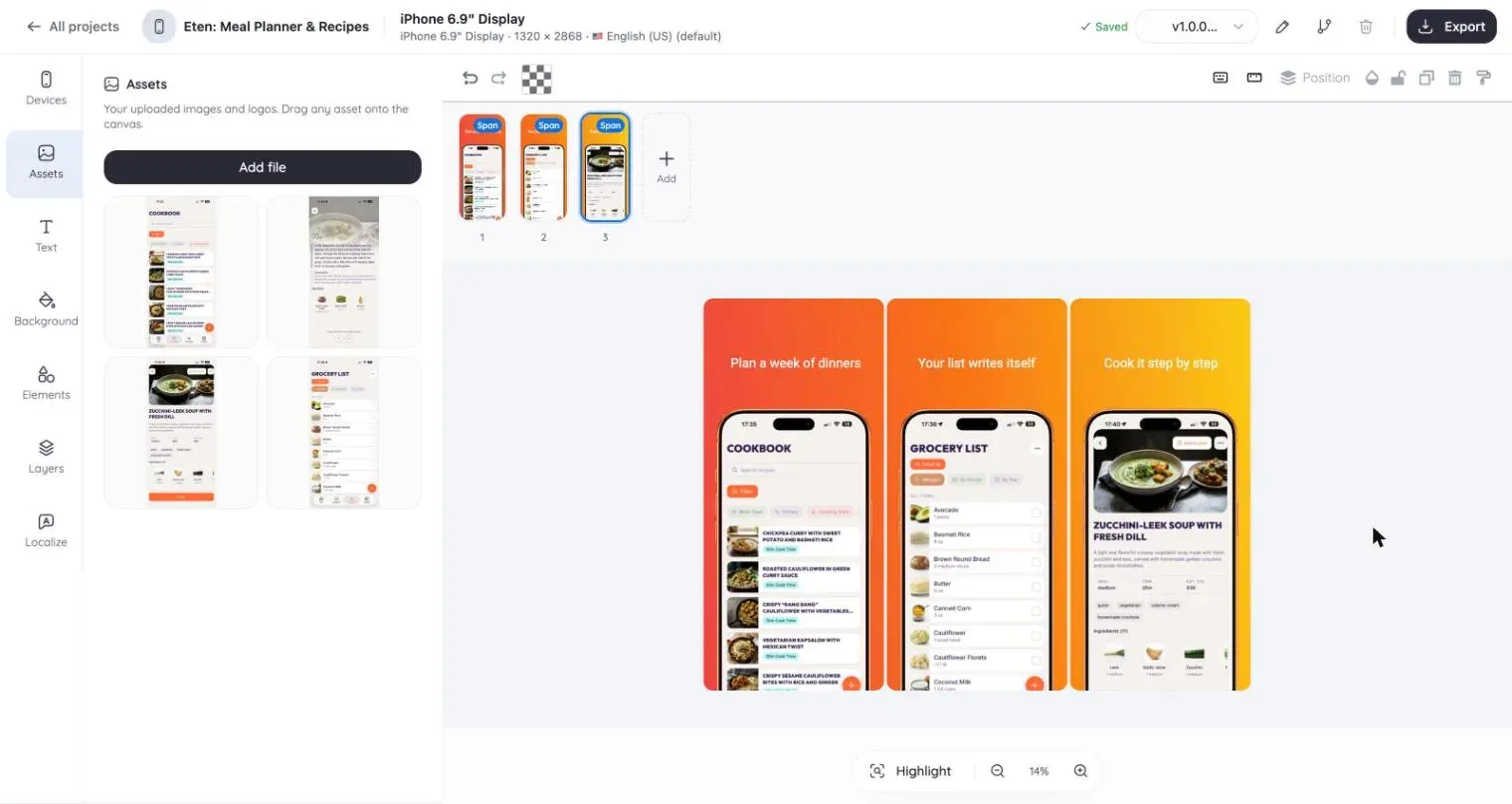
Past the editor, the workflows diverge more sharply:
- AI does the first draft. Upload raw screens, add a sentence about your app, and Lingue's AI returns a complete editable set with ASO headlines. Screenshots Pro has no AI features, so you start from a template and write your own copy.
- Publishing is built in. Store Sync uploads every locale and device size straight to App Store Connect and Google Play. With Screenshots Pro you export PNGs and upload them to each store yourself.
- Localization runs deeper. Both tools localize, and Screenshots Pro auto-translates on its Standard plan. Lingue adds automatic right-to-left mirroring for Arabic and Hebrew, per-locale copy on a shared layout, and per-locale publishing. Screenshots Pro doesn't document RTL handling.
- Exports cover both formats. Lingue exports exact-resolution PNG or JPEG, the two formats Google Play accepts. Screenshots Pro exports PNG.
Pricing, as of August 2026
Screenshots Pro: Basic is free with attribution required. Standard is $19 a month and adds 3D angles, custom fonts, localization, and a no-attribution license. Extended is $49 a month and adds the API plus the right to charge clients.
Lingue: Starter at $15 a month or $99 a year, Pro at $35 a month or $180 a year, 7-day free trial on both. Custom fonts, every store language, and store publishing are included on Starter.
Which one should you pick?
Choose Screenshots Pro if you want a no-cost tool and don't mind the attribution link, if you need to render screenshot sets through an API, or if you're an agency that resells assets to clients.
Choose Lingue if you'd rather design freely than customize templates, want the first draft written for you, need RTL localization, or want screenshots published to both stores without a manual upload session. The editor tour is the quickest way to see the difference.
Also comparing the bigger names? Read Lingue vs. AppScreens, or browse all guides and comparisons.
Common questions
Is Screenshots Pro really free?
Yes, with a condition. The Basic plan includes all devices, templates, and store-size exports, but its license requires an attribution link wherever the assets are used, and you can't charge clients for them. Paid plans remove those limits.
Does either tool upload screenshots to the stores?
Only Lingue. Store Sync connects App Store Connect and Google Play, imports your listing, and publishes per locale and device. Screenshots Pro is export-only, though its Extended plan offers an API for programmatic rendering.
Which is cheaper on a paid plan?
Lingue Starter at $15 a month undercuts Screenshots Pro Standard at $19, and both add custom fonts and localization at that tier. Annual billing drops Lingue Starter to $99 a year; Screenshots Pro advertises an annual discount but doesn't publish the exact yearly price on its pricing page.